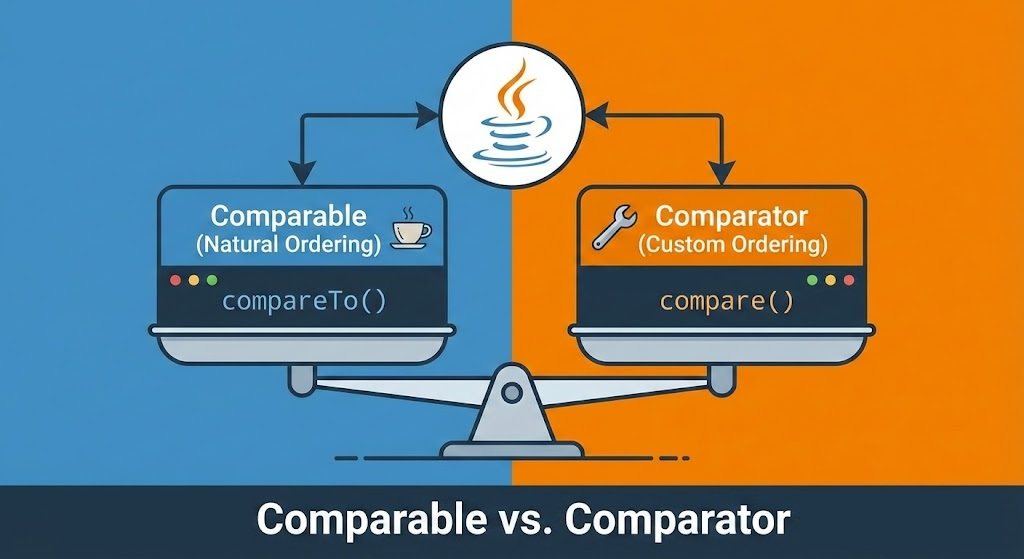
Comparison in Java : Comparator vs Comparable
The question is never whether to compare or not but how to compare?

I am Java/SpringBoot developer. Currently pursuing MSCS from UNC Chapel Hill. Actively looking for Job.
Learning Objectives :
Understanding broader architectural support in Java to facilitate custom object comparison/sorting
Two Specific Interfaces in depth :
Comparable<T>vsComparator<T>- Why
Comparatoris usually preferred ?
- Why
Implementation examples for both case.
Tips to retain learning: which interface has which method i.e. Match the following :
Segway to using
Comparator<T>inStreams(to be covered later)
Comparison (of two similar objects) is as essential in Java as in real world. Afterall programming is nothing but emulating real world scenarios. While operators like ==, !=, <, > make it easier to compare the primitives like boolean, short, int, comparing Objects can be arduous task. And using it for higher order tasks such as sorting can be even more complicated. To make the task of comparing Objects easier java provides two interfaces.
Java Approaches of comparing two objects :
java.util.Comparator<T>:java.lang.Comparable<T>:
Note : java.lang has some other Adjective(-able) interfaces like
Appendable- Appends the specified character sequence to this AppendablAutoCoseable- An object that may hold resources (file or socket handles) until it is closed. Theclose()method of an AutoCloseable object is called automatically when exiting a try-with-resources block for which the object has been declared in the resource specification headerCloneable- A class implements the Cloneable interface to indicate to theObject.clone()method that it is legal for that method to make a field-for-field copy of instances of that classIterable- Implementing this interface allows an object to be the target of the enhanced for statement ( "for-each loop").Readable- A Readable is a source of characters. Characters from a Readable are made available to callers of the read method via aCharBuffer.
Let us take a POJO class Person on which we can learn how to use comparison.
class Person {
    private String name;
    private int age;
    private long id;
    // constructors, getters, setters, toString()...
}
// this class is INCOMPARABLE i.e. no information provided anywhere(inside or outside) class
// on how to order two different objects of this class.
How can we sort collection of Persons ? How will any function trying to sort instances of this class be able sort them? Should it sort by person’s age or by name or in case of same age sort based on names ? You see there is no way to accord priority to one over the other.
List<Person> personsInMyContactList = new ArrayList<>();
// populate the list using
//     database or
//     maually using add()

Person[] personsInMyEmailList = new Person[100];

// How can we sort these collections ?
Before proceeding further let us see why we took only example of a List<> and an array for collection? It is because in java there are broadly only 4 types of collection
Arrays
List
Set
Map
Among which only first two makes sense to always sort. In set and map only in some cases it makes sense to sort & for such cases we have specific implementations like TreeSet<> and TreeMap<>.
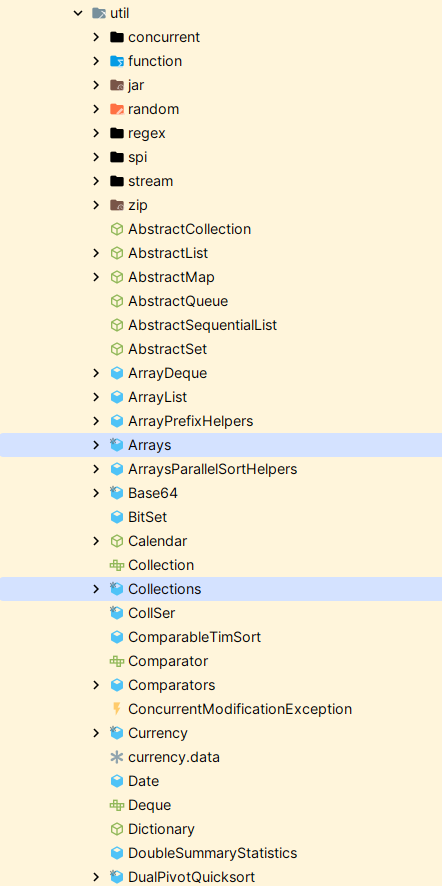
Method for sorting arrays of primitives or objects is provided in Arrays utility class :
https://docs.oracle.com/javase/8/docs/api/java/util/Arrays.html#sort-T:A-java.util.Comparator-
public static <T> void sort(T[] a,
                            Comparator<? super T> c)

Method for sorting List of objects is provided in Collections utility class :
public static <T> void sort(List<T> list,
                            Comparator<? super T> c)
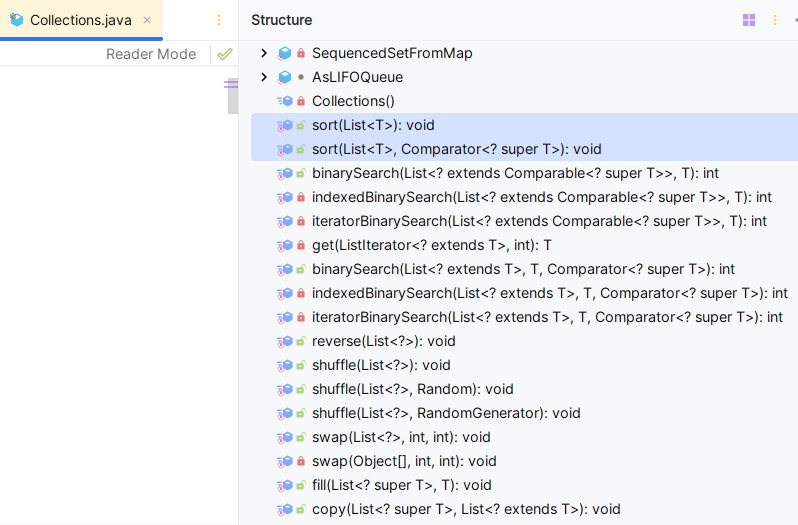
Further, Java collection framework (java.util.Collections with s) provides two broad approaches two sort any collection of objects :
Using Natural order - i.e. inherent quality/characteristics of the Class
it is sticky - once defined it is difficult to change the meaning
it becomes the nature of all the instances of the class.
Sorts the specified list into ascending order, according to the natural ordering of its elements. |
- Using Custom Comparator - meaning user defines what makes one object take priority over other based on relation among their attributes.
it is a characteristic which can be plugged in & out to a class & hence provides great flexibility.
It allows to decouple comparison definition from the class definition.
It is like Views for a database table.
| Sorts the specified list according to the order induced by the specified comparator. |
|---|
Comparable - int compareTo(T o) : Natural Ordering
// not marked Functional Interface : why ? answer later in this blog
public interface Comparable<T> {
    public int compareTo(T o);
}
Note : Java expects you to override these methods following certain rule.
According to the Javadoc for Comparable.compareTo(T o) and Comparator.compare(T o1, T o2):
Returns a negative integer, zero, or a positive integer as the first object is less than, equal to, or greater than the second object.
But while which one is `first` in Comparator.compare(T o1, T o2) it is not clear which one is first in Comparable.compareTo(T o) . Let's see this :
Comparable and Comparator are two sides of the exact same coin:
        Comparable Interface                     Comparator Interface
   ──────────────────────    ───────────────────────
       int compareTo(T o)                       int compare(T o1, T o2)

        this  ===> FIRST object                  o1   ===> FIRST object
        o     ===> SECOND object                 o2   ===> SECOND object

        Mental Math: (this - o)                  Mental Math: (o1 - o2)
Let’s see how we can use it for our custom class :
class Person implements Comparable<Person> {
    private String name;
    private int age;
    private long id;
    // constructors,
    // Getters & Setters,
    // toString() etc.

    @Override
    int compareTo(Person that) {
        // user defines the comparsion logic
        if (this.age < that.age){
            return -1;
        }
        return (this.age == that.age) ? 0 : 1;
        // we can write much complex logic here e.g. if age is equal THEN compare name...
        // and so on
}
// This class is now COMPARABLE in true sense as it has natural(default) ordering definition
// embedded in class definition itself.
Above implementation makes the hitherto incomparable Person truly Comparable because now calling functions know the its natural comparison characteristics - what makes one object greater (or smaller or equal) than other. In other words HOW TO COMPARE has been clearly defined in the class definition.
static <T extends Comparable<? super T>> void |
sort(List<T> list) |
Sorts the specified list into ascending order, according to the natural ordering of its elements. |
|---|---|---|
static <T> void |
sort(List<T> list, Comparator<? super T> c) |
Sorts the specified list according to the order induced by the specified comparator. |
List<Person> people = new ArrayList<>(); // populate the list using database or maually using add()

Person[] peopleArr= new Person[100];

// How can we sort these collections ?

// NATURAL ORDER SORTING :
//     meaning sorted based on comparison definition in the overridden method
//     inside the Person class
Collections.sort(people); // Only works with list.

// Soring array of objects
Arrays.sort(peopleArr);
Now most of the commonly used Class like String, Integer, Character, Double provides natural ordering definition i.e. these classes implement Comparable interface.
Classes Implementing Comparable
| Class | Natural Ordering |
|---|---|
Byte |
Signed numerical |
Character |
Unsigned numerical |
Long |
Signed numerical |
Integer |
Signed numerical |
Short |
Signed numerical |
Double |
Signed numerical |
Float |
Signed numerical |
BigInteger |
Signed numerical |
BigDecimal |
Signed numerical |
Boolean |
Boolean.FALSE < Boolean.TRUE |
File |
System-dependent lexicographic on path name |
String |
Lexicographic |
Date |
Chronological |
CollationKey |
Locale-specific lexicographic |
This gives us insight on when to use COMPARABLE? When you want to create default ordering/sorting logic for instances of a class use Comparable.
How to sort a collection using natural ordering ?
Collections.sort(objList);//list of String, Integer... or any class implementing Combarable
Arrays.sort(objArr); // array of  String, Integer... or any class implementing Combarable
Are only lists and arrays supported for sorting objects based on natural ordering? No.
| Class | Interface | Sorting Behavior | Time Complexity (Add) |
|---|---|---|---|
| TreeSet | NavigableSet |
Fully Sorted (Tree) | O(log n) |
| TreeMap | NavigableMap |
Sorted by Key (Tree) | O(log n) |
| PriorityQueue | Queue |
Head is Min (Heap) | O(log n) |
| ConcurrentSkipListSet | NavigableSet |
Thread-safe Sorted | O(log n) |
Mor on this later.
Problem with sorting based on Natural Ordering ?
Shor answer : rigidity.
At any fixed time Comparable provides only one way to order its implementing class objects.
What if in some other scenarios comparison based on person’s name or id or some completely new attribute e.g. weight which was not originally envisaged but later added due to new requirements ? Surely you are forced to edit the int compareTo(Person that) every time there is change in comparison logic. But this is not a the problem. Afterall you need to make change somewhere. The real problem is poor backward compatibility and code maintainability. The comparision logic is strictly tied to the class.
You see one way to see the entire comparison story is that it provides us with views , specific lenses to see the data(collection) based on ordering we want to see.
At one place we might want to view people based on their ascending age, elsewhere it might be desirable to view people according to descending weights. So it might be very convenient to decouple the comparison logic from the class itself. If so, we can define the comparison logic in some external classes and then we can create multiple views.
Thankfully, Comparator<T> provides us this flexibility.
Comparator - int compare(T o1, T o2) : Custom Ordering
@FunctionalInterface
public interface Comparator<T> {
    int compare(T o1, T o2); // the only fuction which mandatory needs to be implemented

// other default and static methods...
    default Comparator<T> reversed() {}
    default Comparator<T> thenComparing(Comparator<? super T> other) {}
    default <U> Comparator<T> thenComparing(){}
    public static <T extends Comparable<? super T>> Comparator<T> reverseOrder() {}
    public static <T extends Comparable<? super T>> Comparator<T> naturalOrder() {}
}
Let’s see how we can use it for our custom class :
class Person {
    private String name;
    private int age;
    private long id;
    private long id;
    // constructors, getters, setters, toString()...
}
Custom Comparator to order person based on name :
class PersonNameComparator implements Comparator<Person> {
    @Override
        public int compare(Person o1, Person o2) {
            return o1.name.compareTo(o2.name);//internally uses natural ordering of String
        }
    // overwriding other defaultmethods is optional. static methods cannot be overridden
}
Another comparator which also providers a tie breaker in case of same age
class PersonAgeThenNameComparator implements Comparator<Person> {
    @Override
        public int compare(Person o1, Person o2) {
            if(this.age < o.age) return -1;
            if(this.age > o.age) return +1;
            // (this.age == o.age)
            return o1.name.compareTo(o2.name); // TIE-BREAK RULE
        }
}
The advantage of this way is very clear. We can write comparator on demand. Unlike in the case of Comparable, the comparison logic is not rigidly tied to the class. The code blocks relying on PersonNameComparator can still continue using the same comparator. And the new code blocks which requires to use PersonAgeThenNameComparator can easily use it without even being aware of any other comparator.
Combining power of Comparable & Comparator
Now a question arises :
Can a Comparable class(overriding int compareTo() ) be sorted by custom comparator(overriding int compare() ) ?
The answer is a resounding YES.
In fact, this is the standard design pattern in Java. A custom Comparator always overrides the natural ordering defined by Comparable.
The Rule of Priority
Default: If you call
Collections.sort(list), Java uses the class'scompareTo()method (Natural Order).Override: If you call
Collections.sort(list, comparator), Java ignores thecompareTo()method completely and uses yourComparatorinstead.
Code Example
Let's create a Student class that sorts by ID by default, but we will force it to sort by Name using a Comparator.
import java.util.*;

// 1. Class implements Comparable (Default: Sort by ID)
class Student implements Comparable<Student> {
    int id;
    String name;

    public Student(int id, String name) {
        this.id = id;
        this.name = name;
    }

    // Natural Ordering logic
    @Override
    public int compareTo(Student other) {
        return this.id - other.id; // Ascending ID
    }

    @Override
    public String toString() { return name + "(" + id + ")"; }
}

public class Main {
    public static void main(String[] args) {
        List<Student> classRoom = new ArrayList<>();
        classRoom.add(new Student(3, "Charlie"));
        classRoom.add(new Student(1, "Alice"));
        classRoom.add(new Student(2, "Bob"));

        // SCENARIO 1: Natural Ordering (Uses Comparable)
        Collections.sort(classRoom);
        System.out.println("By ID (Default):   " + classRoom);
        // Output: [Alice(1), Bob(2), Charlie(3)]

        // SCENARIO 2: Custom Comparator (Overrides Comparable)
        // We define a new rule: Sort by Name
        Comparator<Student> nameSorter = new Comparator<Student>() {
            @Override
            public int compare(Student s1, Student s2) {
                return s1.name.compareTo(s2.name);
            }
        };

        Collections.sort(classRoom, nameSorter);
        System.out.println("By Name (Custom):  " + classRoom);
        // Output: [Alice(1), Bob(2), Charlie(3)] -> Wait, Alice/Bob/Charlie is alphabetical too.
        // Let's assume Z-names to prove it works differently:
        // If we had [Zack(1), Adam(2)], ID sort -> Zack, Adam. Name sort -> Adam, Zack.
    }
}
Why is this useful?
Think of an E-commerce product page (like Amazon):
Default (
Comparable): Search results usually have a "Relevance" score. TheProductclasscompareTomight implement this complex relevance logic.User Selection (
Comparator): The user clicks "Sort by Price: Low to High". You don't rewrite the class; you just pass aPriceComparatorto the list. The user clicks "Sort by Rating". You pass aRatingComparator.
Summary
Comparable= The Default setting.Comparator= The User Preference setting (Wins).
Lets now delve into tricks to memorize the differences.
Comparable<T> |
Comparator<T> |
|
|---|---|---|
| Parts of Speech | adjective | noun |
| represents | State(Identity) | Strategy(Function) |
| package | java.lang |
java.util |
| SAM | n/a | @FunctionalInterface |
| function | public int compareTo(T o) |
int compare(T o1, T o2) |
| trick (always one t) | Comparable - compareTo() | Comparator - compare() |
| relationship | IS-A | HAS-A |
| trait of an object | tool to compare two objects | |
| Purpose | natural ordering | custom ordering |
| Views | only one view | one view per Comparator |
Why Comparator is marked @FunctionalInterface but not Comparable ?
Short answer: Comparable represents "State" (Identity), while Comparator represents "Strategy" (Function).
Parts of Speech :
"Comparable" adjective - "able to be compared" or "worthy of comparison"
"Comparator" noun - a person or thing that compares
The Method Signature Difference
Comparator<T>(compare(T o1, T o2)):Takes two external objects.
It does not rely on its own internal state (
this).It is a pure function:
f(x,y) —> {int}.Verdict: This fits the definition of a Lambda function perfectly.
Comparable<T>(compareTo(T o)):Takes one external object.
The other object is
this(the instance itself).It fundamentally relies on the internal state of the object it is attached to.
Verdict: This is not a "function" in the functional programming sense; it is an object method.
The Conceptual "Is-A" vs "Has-A"
Comparable: An object IS comparable. A
Studentobject is comparable to another Student. It is intrinsic to the class definition. You implement it inside the class.Comparator: An object HAS A comparator. You create a separate "Sorting Machine" (Strategy) to sort Students by grade, or by name. This "Machine" is a function.
Summary
Comparator is a tool/function used to compare two other things. → Functional Interface.
Comparable is a trait of an object itself. It requires
thisinstance to exist. → Regular Interface.
Finally,
Trick to recall which one has what function name : only one t in InterfaceName-MethodName pair
| Comparable< T> | int compare**T**o(T o) | Interface w/o t has method with t |
|---|---|---|
| Compara**t**or< T> | int compare(T o1, T o2); | Interface w/ t has method w/o t |
The Underlying Design Pattern
Strategy Pattern
We can find some similarity between : (extending Thread vs implementing Runnable) to create a thread vs (implementing Comparable & Comparator) to make a class comparable.
Both pairs are the same pattern wearing different clothes — the Strategy Pattern:
Strategy Pattern:
  Separate WHAT is done from WHO does it / HOW it is triggered

Threading:  Task (Runnable)   ←→  Executor (Thread / pool)
Sorting:    Order (Comparator) ←→  Sorter  (Collections.sort / Stream.sorted)
The "baked-in" versions (extends Thread, Comparable) violate this separation. The "separated" versions (Runnable, Comparator) honour it — which is exactly why both are the preferred, flexible choice in modern Java.
References
https://docs.oracle.com/javase/tutorial/collections/interfaces/order.html
I take help of LLMs (chatGPT, Gemini) to understand these concepts.